How to fix video stuttering on your TV: expert tips
Many TV owners mistakenly blame their internet for choppy video, but the issue is often related to frame rate settings.
 💡Tech
Photo: UNIAN
Key points
- Stuttering is caused by frame rate mismatches
- Match content frame rate feature fixes the issue
- Filmmaker Mode prevents motion smoothing distortion
Why video stuttering occurs
Many modern TV owners experience annoying stuttering while watching movies, often blaming it on unstable internet or streaming service issues. However, experts explain that the root cause is usually a mismatch between the content's frame rate and the TV's refresh rate settings.
Most films are shot at 24 frames per second, while modern TVs typically operate at 60Hz or 120Hz. To bridge this gap, TVs use conversion techniques that create an uneven rhythm, which the viewer perceives as micro-stutters during camera pans or movement.
How to adjust your TV for a better experience
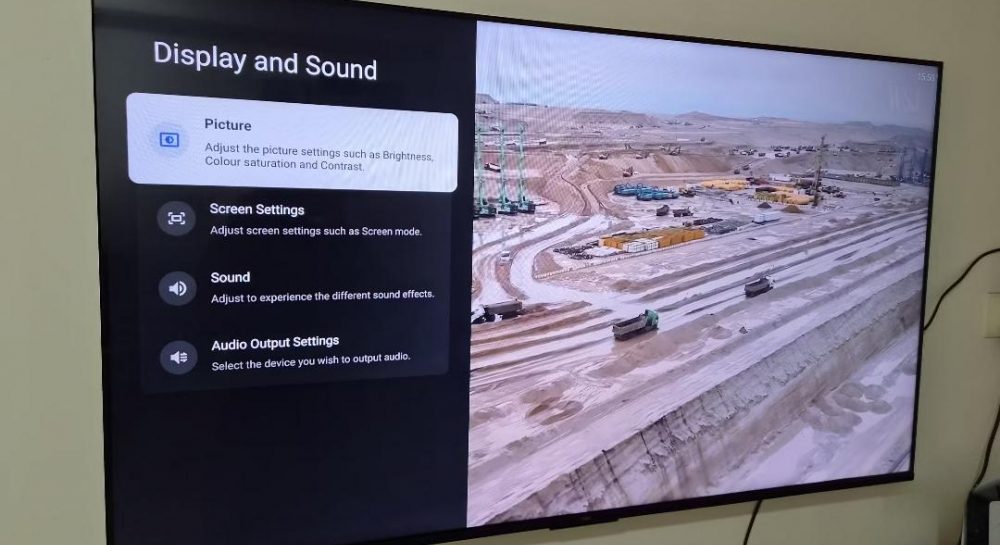
To eliminate these stutters, you simply need to enable the Match content frame rate feature. This option allows the TV to stop artificially stretching the video and automatically adjusts the screen's refresh rate to match the source content.
- Check your TV's settings menu for frame rate matching options.
- Choose the 'Seamless' mode for smooth transitions or 'Non-seamless' if your device supports only that.
- We also recommend enabling Filmmaker Mode, which disables aggressive motion smoothing that often distorts the director's original intent.
Source UNIAN — unian.ua/techno/gadgets/chomu-smikayetsya-zobrazhennya-na-televizor… ↗
Read next
 🏙️City
Jared Kushner highlights high combat effectiveness of the Armed Forces of Ukraine
The US special envoy stated that the Ukrainian army has undergone a significant transformation and is now one of the most effective in the world.
 🎓Education
International Operation 'Connect': Fraudulent Call Center Network Dismantled
Law enforcement agencies from four countries have dismantled a transnational criminal organization linked to the 'Khimprom' drug cartel.
 🚌Transport
Road Accident at Dvirtsova Square in Lviv: Pedestrian Injured
A traffic accident occurred at Dvirtsova Square in Lviv, resulting in injuries to a pedestrian. A car driver hit a resident of the Volyn region, and the victim was hospit…
 🏙️City
DTEK Denies Purchasing Russian Coal Following Full-Scale Invasion
The energy company DTEK has refuted claims of ongoing coal trade with Russia and clarified its financial relationship with Deutsche Bank.
 🩺Health
Guided Aerial Bomb Strike on Zaporizhzhia Leaves Ten Injured
A daytime enemy strike using guided aerial bombs on Zaporizhzhia resulted in ten civilian injuries and damage to local infrastructure.
 🚌Transport
Ukraine Continues Electricity Exports Despite Emergency Power Outages: Experts Explain
Despite regional power supply restrictions following attacks, Ukraine continues to export electricity to Europe. Energy experts assure that the core issue lies in transmi…